Configurable features
Choose the modules and durations that match your needs.
Independent third-party software for DOFUS
Jitsuri brings together tools for configuring gathering, combat, the marketplace, treasure hunts and maging. You remain in control of your scenarios, the accounts you use and when they run.
Download the client from your account with an active license
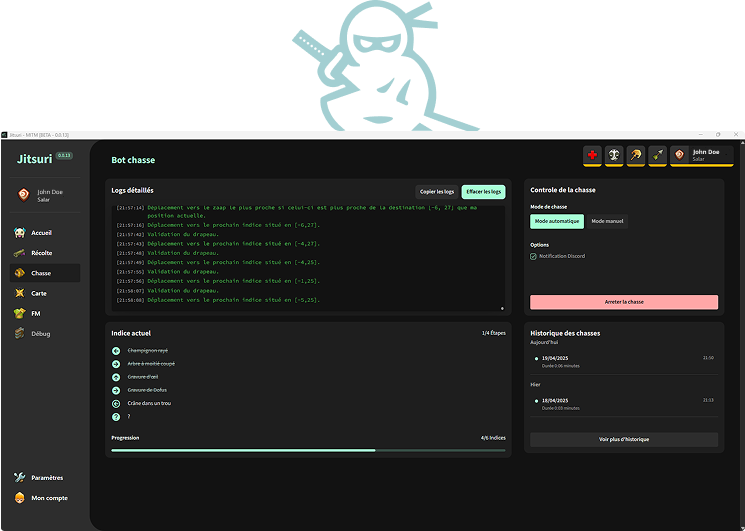
Straightforward product information
Choose the modules and durations that match your needs.
The total price and duration of each license are shown before payment.
Ankama classifies software that automates in-game actions as bots, prohibits it and states that all affected accounts will be permanently banned.
Getting started
From selecting a license to launching the software, every step remains available from your account.
Select the features and duration you want, then review the order summary.
Sign in, complete payment and track its status in your account.
Get the available version from your account, link your machine and follow the documentation.
Features
Enable only the modules that are useful to you and configure how they behave.
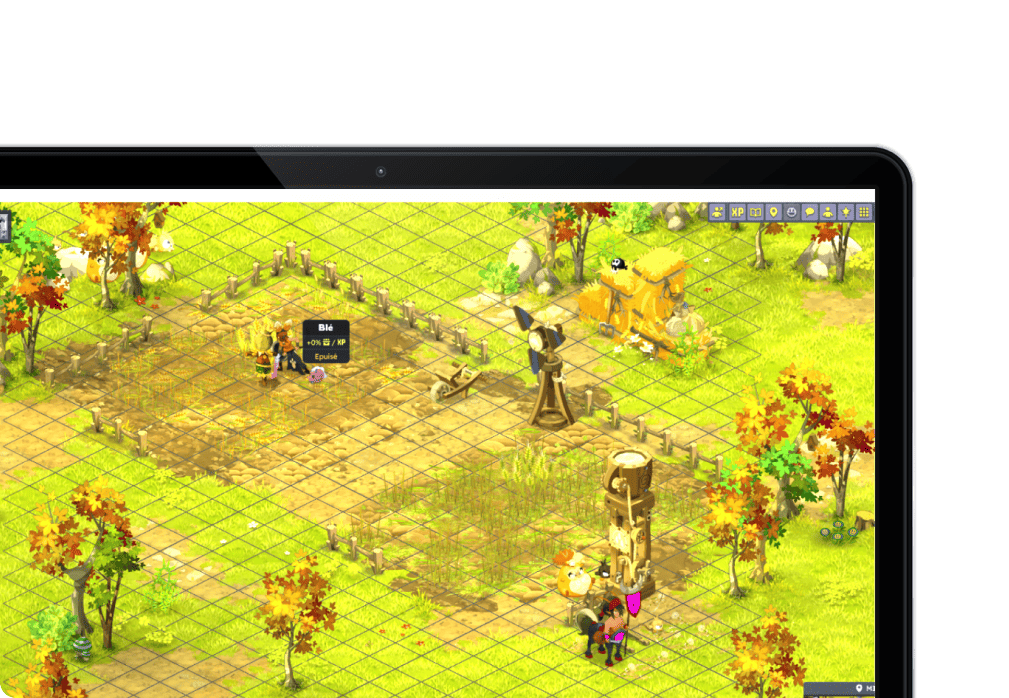
Create routes and Lua scenarios that sequence movement, gathering and combat.
Set up rules for listing items and adjusting prices.
Get assistance with clues and progress through hunt stages.
Configure your targets, runes and attempt tracking.
View community reports organized by server.
Review activity logs and receive the alerts available for your modules.
Modular licenses
Build your license with gathering, combat, Mule mode, breeding, marketplace, treasure hunt, maging or archmonster modules. The duration and total price are shown before payment.
Configure routes and Lua scripts to automate gathering and combat sequences.
Control several characters from the leader with synchronized manual mode.
Automate mount leveling and fertility preparation across multiple paddocks without supervision.
Turn gathered resources into continuous sales with permanent stock and automatic restocking.
Your bots gather → deposit into storage → your marketplace bot collects and sells automatically.
Automatically orchestrate your accounts using a weekly calendar.
Get assistance with clues and configure progress through hunt stages.
Define your targets and track the execution of your maging sequences.
View community archmonster reports for the servers you select.
| Feature |
|---|
| Scripts / Lua-ready |
| Team fights |
| Synchronized manual control |
| Replicated marketplace purchases and crafting |
| Script marketplace |
| Discord alerts |
| Activity logs |
| Multi-instance management |
| Discord help channel |
| Price |
Download
The available version and download button are shown in your account when a license is active.
You need an active license and must be signed in to download the client.Frequently asked questions
Direct answers about licenses, downloads and the risks associated with automation.
No. Jitsuri is independent third-party software. It is not affiliated with, endorsed by or sponsored by Ankama.
No. Ankama defines any program that automates in-game actions as a bot, describes this practice as totally prohibited and states that any player found using one will have all their accounts permanently banned. No feature can guarantee that an account will not be detected or sanctioned.
You purchase a license that provides access to the selected modules for the duration shown in the order summary. Renewal is not automatic: you can manually extend a license from your account.
After your license is activated, sign in and use the download button shown in your account.
Yes. The configurator lets you select licenses for only the modules you need.
Start with the documentation. You can also use the Discord server to talk to the community and contact support when it is available.
Jitsuri is not affiliated with, endorsed by or sponsored by Ankama. DOFUS and Ankama are Ankama trademarks. Ankama defines any computer program that automates in-game actions as a bot, describes this practice as totally prohibited and states that any player found using a bot will have all their accounts permanently banned. No mechanism can guarantee that an account will not be detected or sanctioned. You are responsible for how you use the software and for the accounts on which you run it.
Read Ankama's official position on bots